Client requests and proposal tools for a commercial cleaning team
Client operations and proposals
Elite Touch Cleaning Services
My role
Design and development of both applications; read-only CRM review
Status
Portal live on the client's domain. Proposal builder in production with pricing entered by hand.
A client portal and a proposal builder for a commercial cleaning company.
The problem. Client requests arrived by phone and email, and every proposal was assembled by hand from spreadsheets and document templates.
The work. We designed and built two applications: a client portal for requests and emergencies, and a proposal builder that produces branded PDFs.
The change. Every request is now a record with replies and a notification history, and every proposal follows the same steps. Pricing is still entered by hand.
The situation
Elite Touch Cleaning Services provides commercial cleaning for business clients. Before this work, proposals were assembled from spreadsheet specifications and document templates, and client issues arrived by phone and email. Emergencies, supply requests, and quality notes all landed in the same places, and follow-up depended on who happened to see which message.
Nothing was entirely broken. But every quote took careful manual assembly, and there was no single record of what a client had asked for or what had been done about it.
Two kinds of user, two tools
The work became two separate applications rather than one large system. Clients needed a simple way to report something and see that it was being handled. Staff needed to sort, assign, and follow up on those reports and, separately, build proposals without rebuilding the document each time.
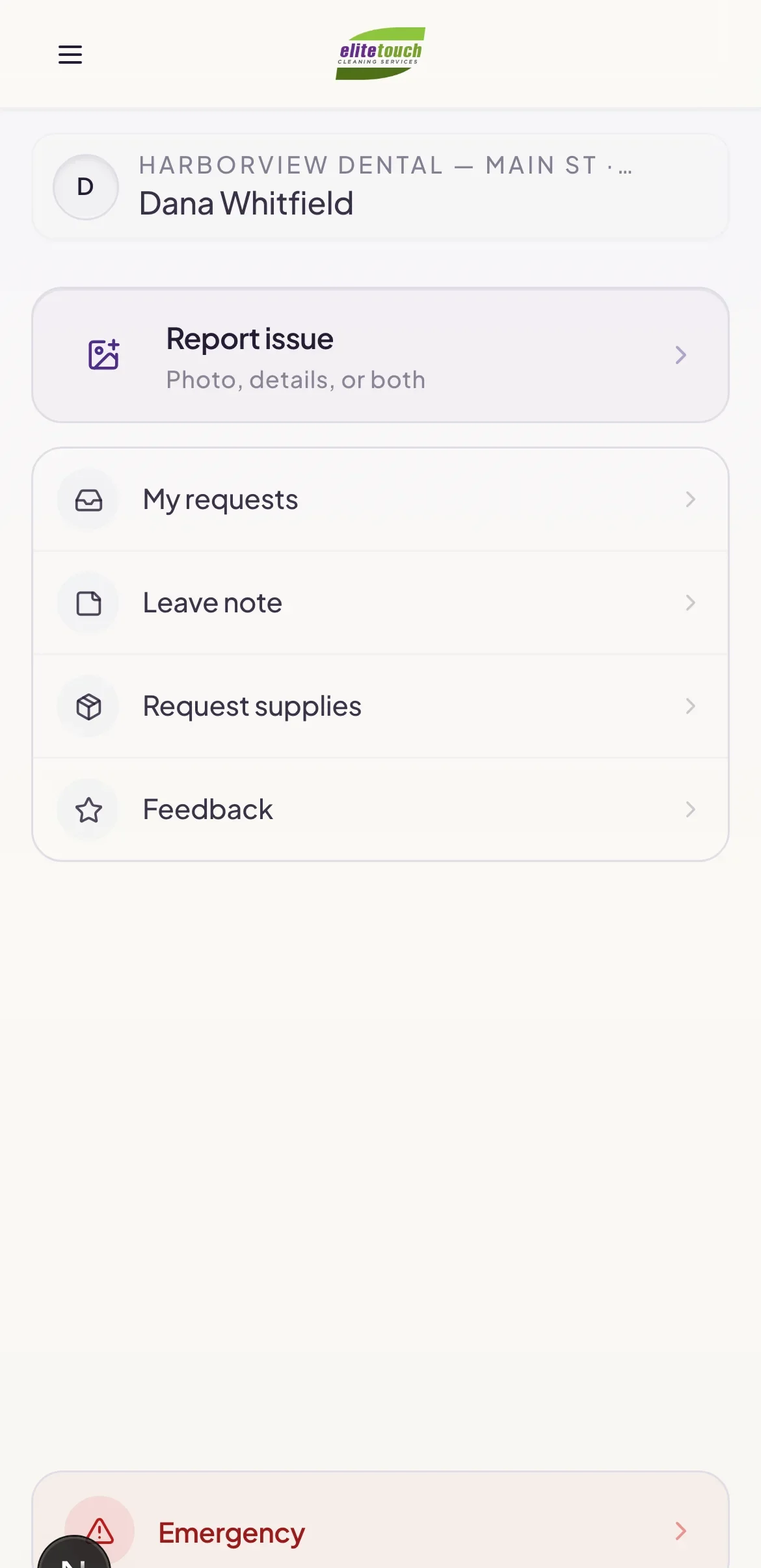
The client side stays small: make a request, send a message, or use the emergency path.
The client and operations portal
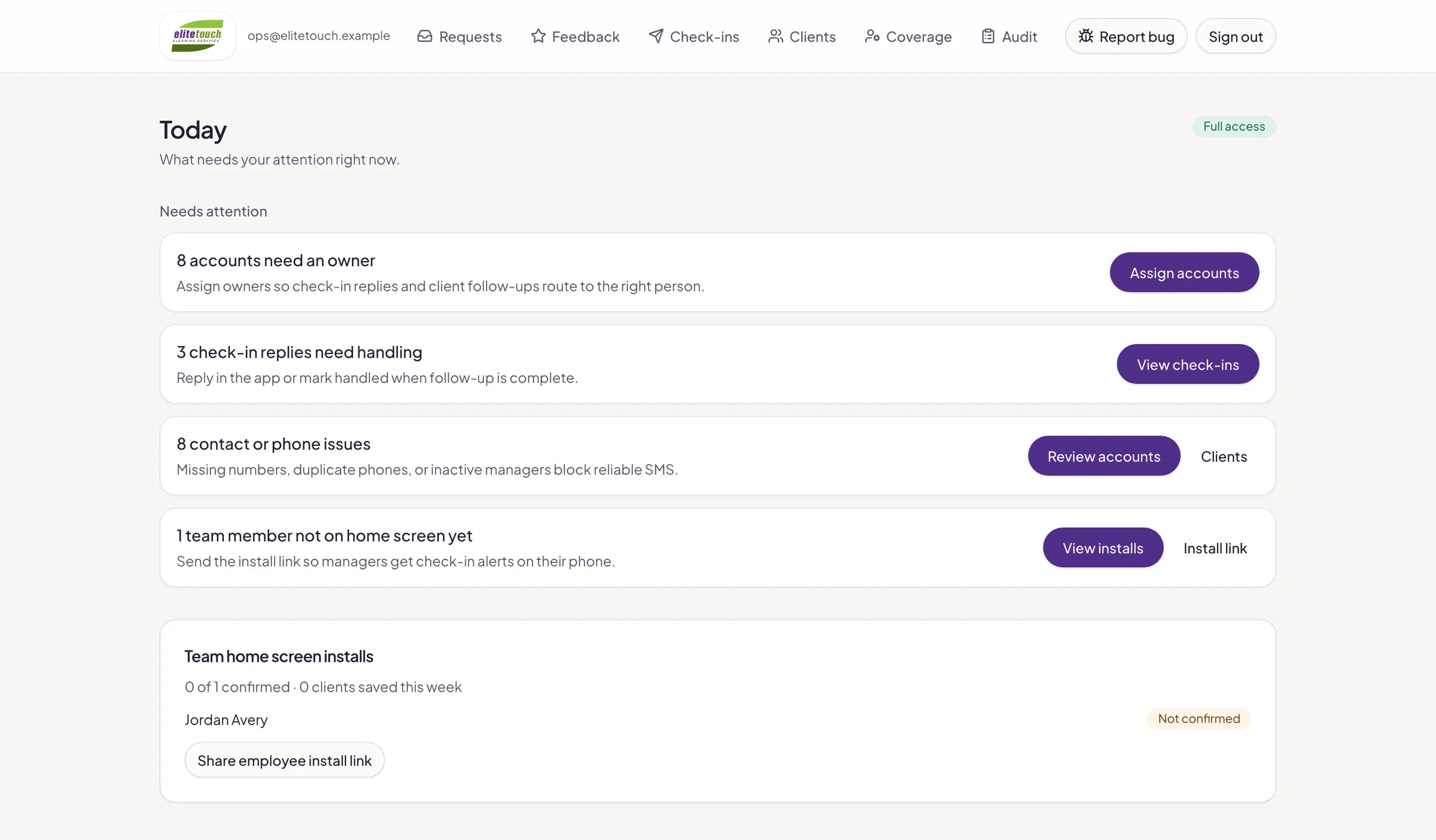
Clients sign in with a magic link instead of a password. From there they submit a typed request (an issue, a note, or a supply need) with a thread for replies and attachments. Emergencies have their own path and their own notifications, so an urgent problem is not filed alongside a routine supply order.
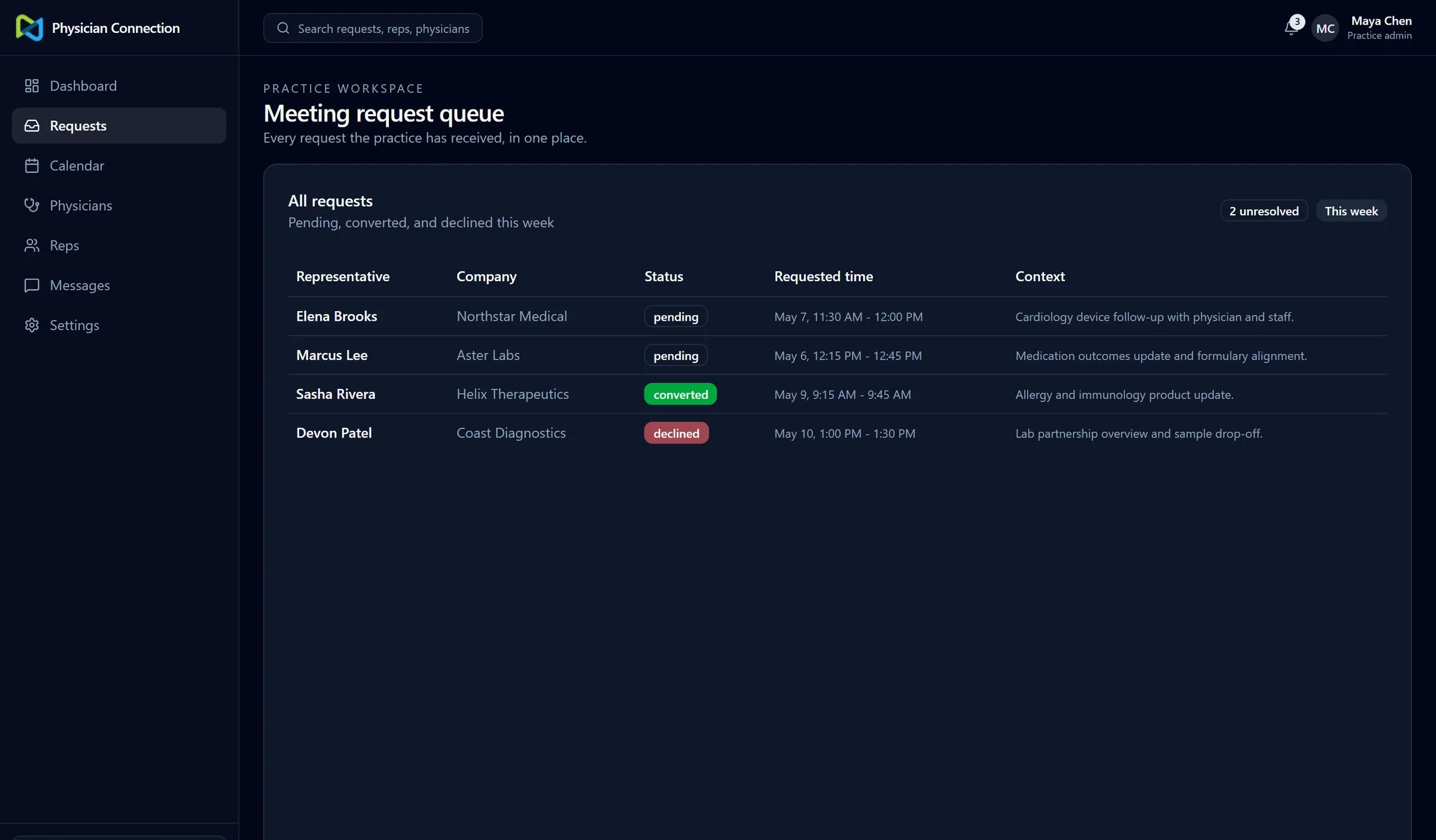
The operations side opens on a Today view of what needs attention. Requests move through open, urgent, and closed queues, with assignment, internal notes, and CSV export.
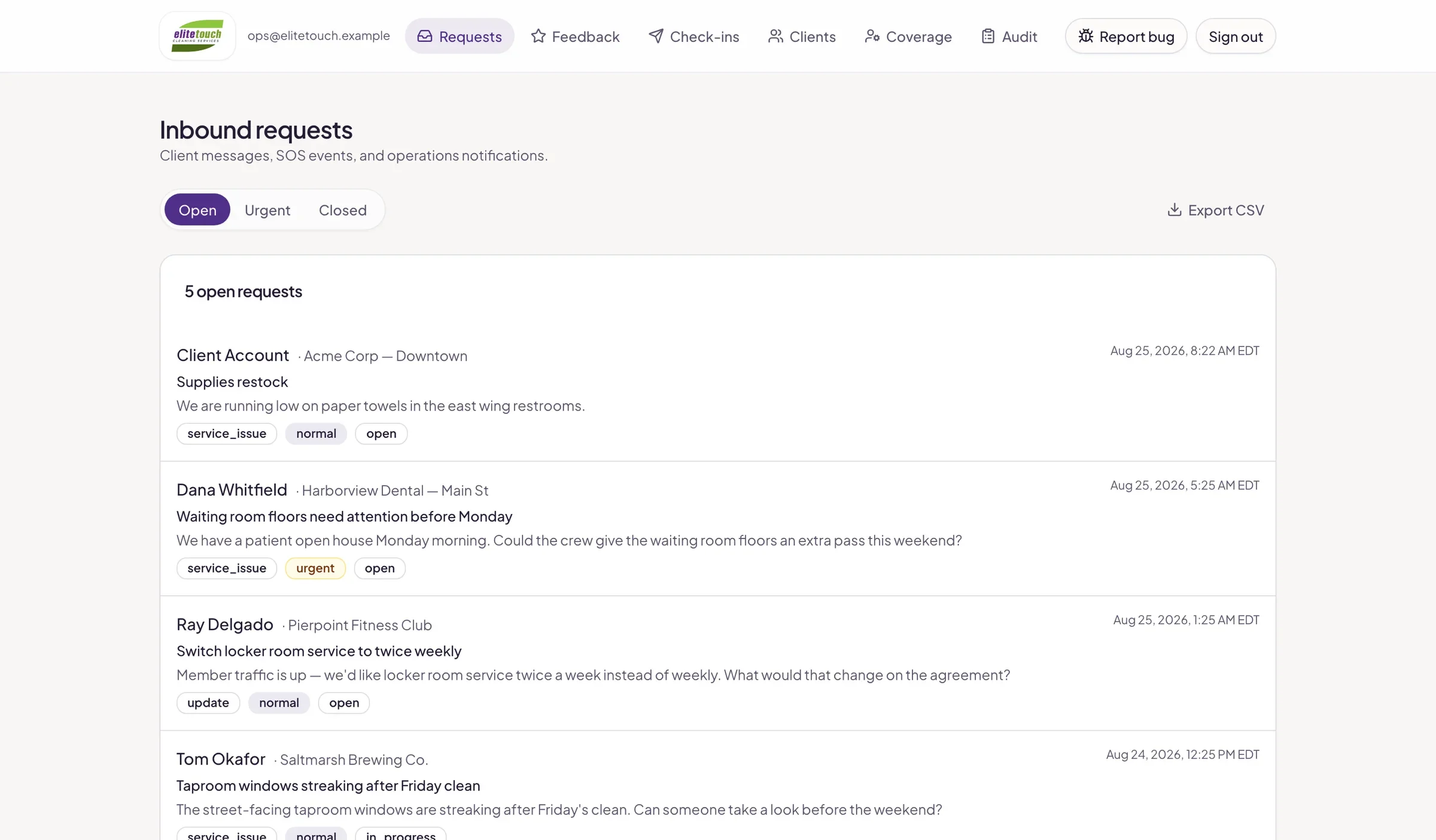
Inbound requests sorted into open, urgent, and closed, so the team can see what is waiting and who has it.
Check-ins go out by text or email. Text messaging was switched on only after the business’s toll-free number completed carrier verification, and every notification attempt is logged, so there is a record of what was sent and when. The portal runs on the client’s own domain and can be installed to a phone’s home screen.
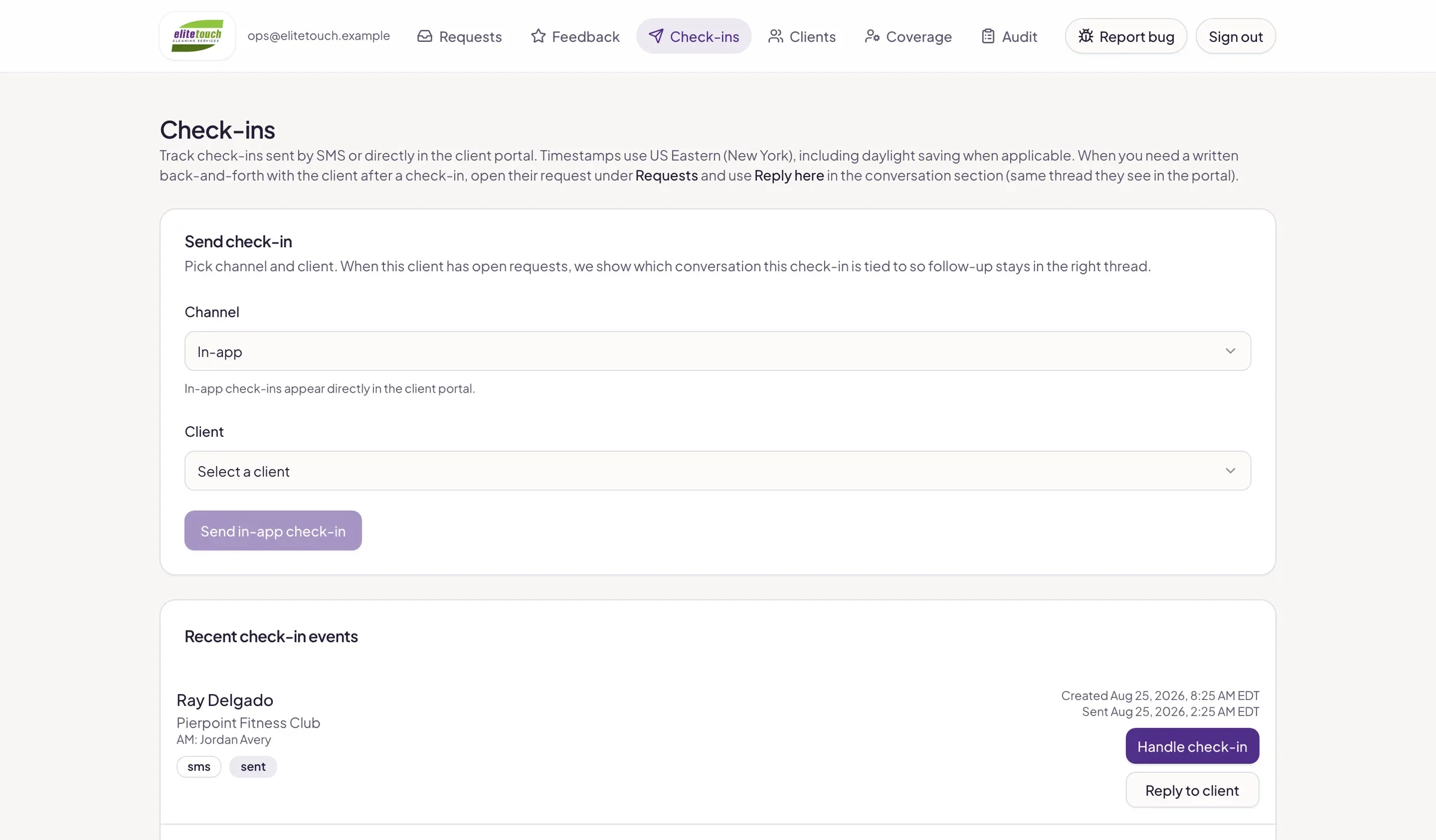
Check-ins: send a text or email to a client and see recent replies in one place.
The proposal builder
The proposal tool walks staff through a fixed sequence: client, location, service type, property, scope, pricing, contract, and review. The scope catalog was built from the company’s existing spreadsheet reference work, so the options match how the team already describes a job.
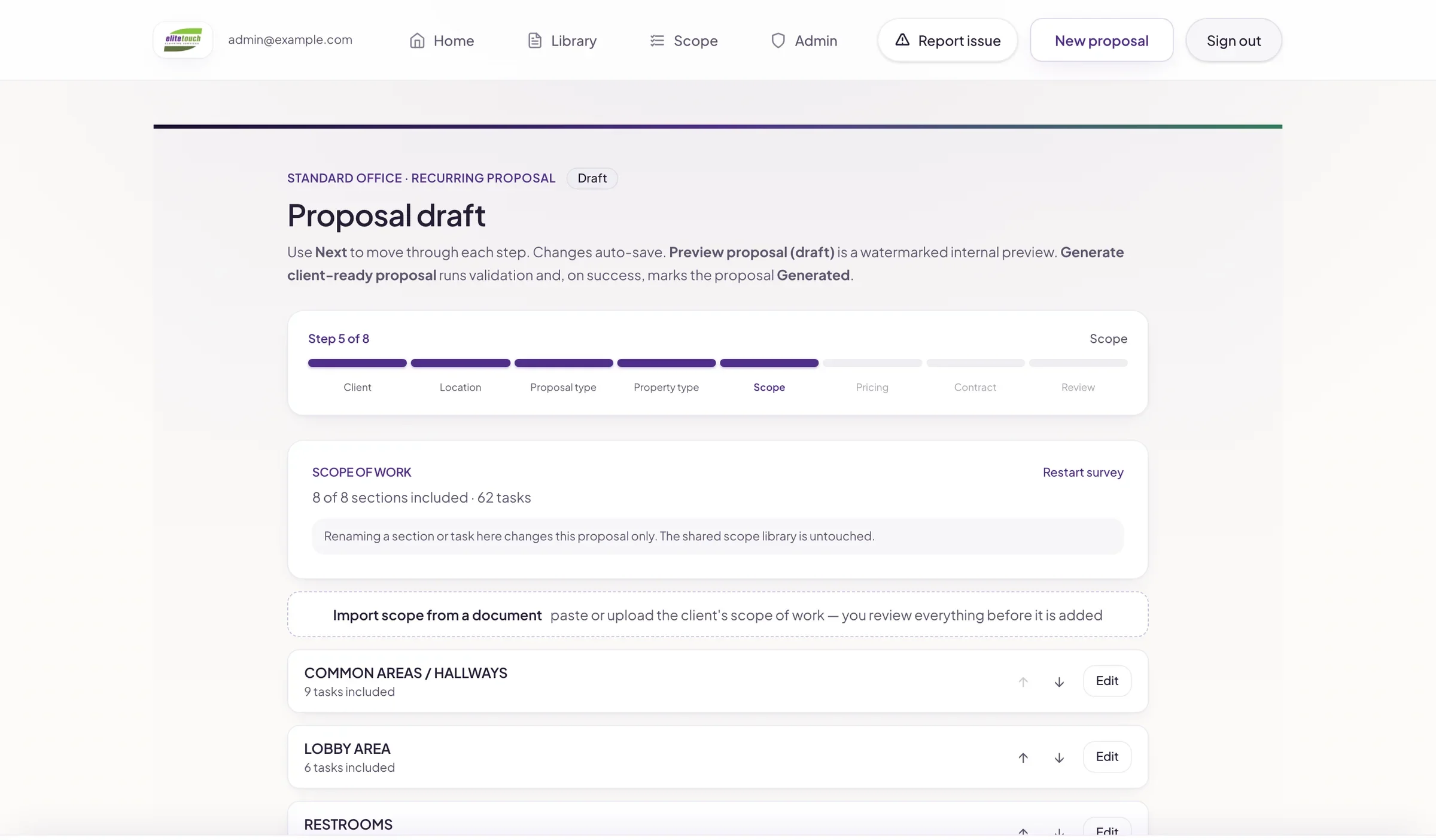
The scope step uses the company’s own reference material, so areas and tasks are chosen rather than retyped.
At the end, the builder produces either a watermarked draft or a client-ready PDF with the company’s branding. Who can change contract terms depends on the user’s role.
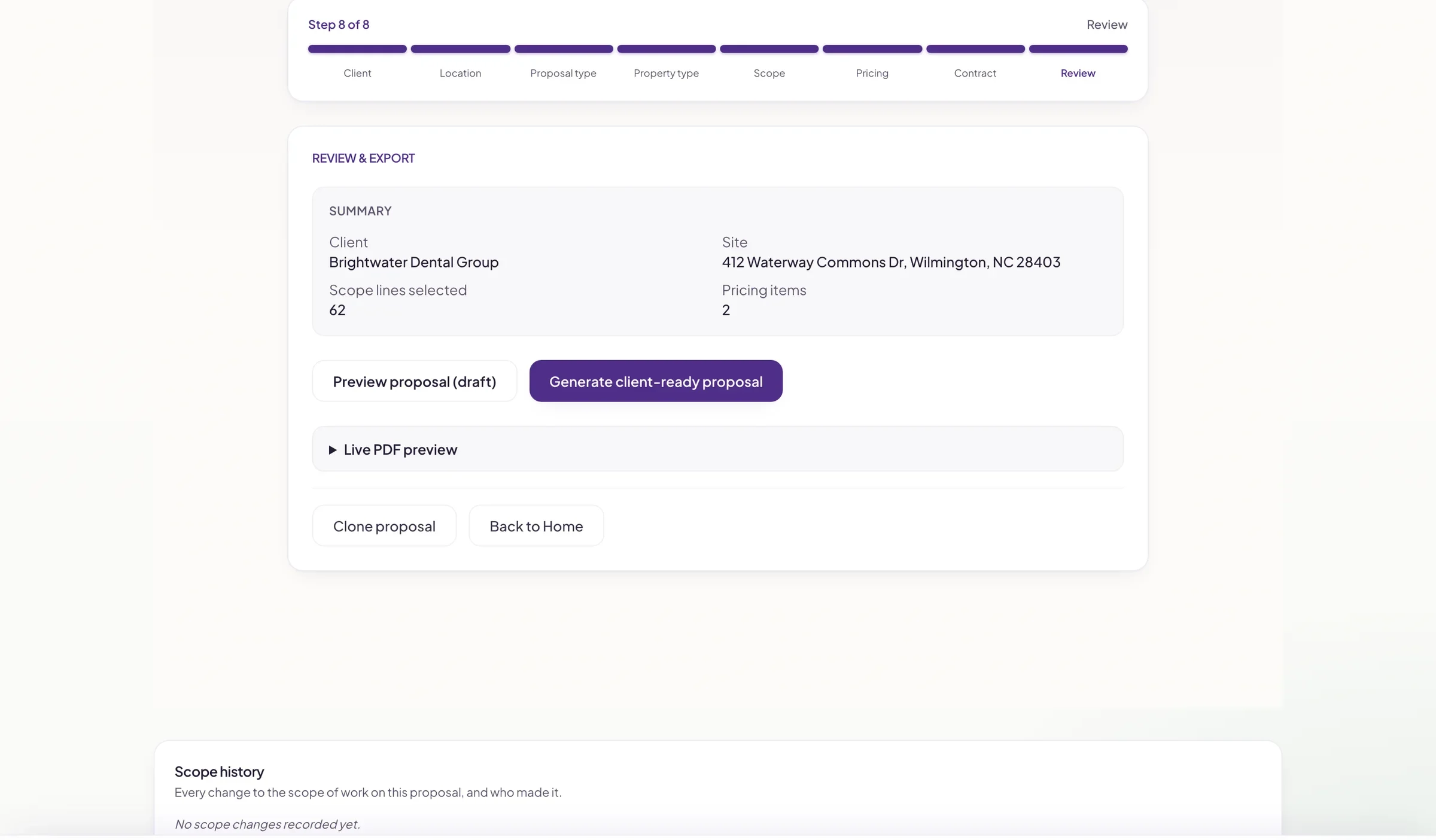
Review before sending: preview the draft or generate the client-ready PDF.
Decisions that shaped the work
Two applications, not one. The portal and the proposal builder serve the same business but different people, so each was built around its own users instead of forcing them into one system too early.
A person still sets the price. Automatic pricing was researched with the client but not built. The builder organizes the proposal; pricing lines are entered by hand.
Look before changing the CRM. The company’s HubSpot account held years of contacts, deals, and workflows. We reviewed it without changing anything and wrote a phased cleanup plan that needs approval at each stage. That plan has not been carried out, and no records were merged or deleted.
Where it stands
The portal is live on the client’s own domain, with text and email notifications. Text messaging was turned on after the business’s toll-free number was approved by the carriers. The proposal builder produces branded, multi-section PDFs, with pricing still entered by hand. The CRM review covered roughly 14,000 contacts, 4,600 companies, and 2,200 deals, and changed none of them.
What the team can do now
Build a proposal through the same steps every time, instead of assembling a document from scratch.
Keep every client request and emergency as a record, with replies, internal notes, and a history of notifications sent.
Handle emergencies separately from routine supply and service requests.
Send check-ins by text or email and see the replies in one place.
Built with
Next.js, TypeScript, Prisma, PostgreSQL, Twilio, Resend, HubSpot, React PDF, Vercel.
Read the long-form technical write-up on GitHub →
Interface shown with sample data.
Working through something similar?
Start with what you need.
Ask for a free homepage preview if you need a business website. If it is software, a client portal, or a connection between tools, tell me about the project. Neither request commits you to anything.